 margin
Download
margin
Download
Margin is a local-first Markdown notes app for the Mac. Fast, quiet note-taking that keeps every note as a plain file on your own disk.
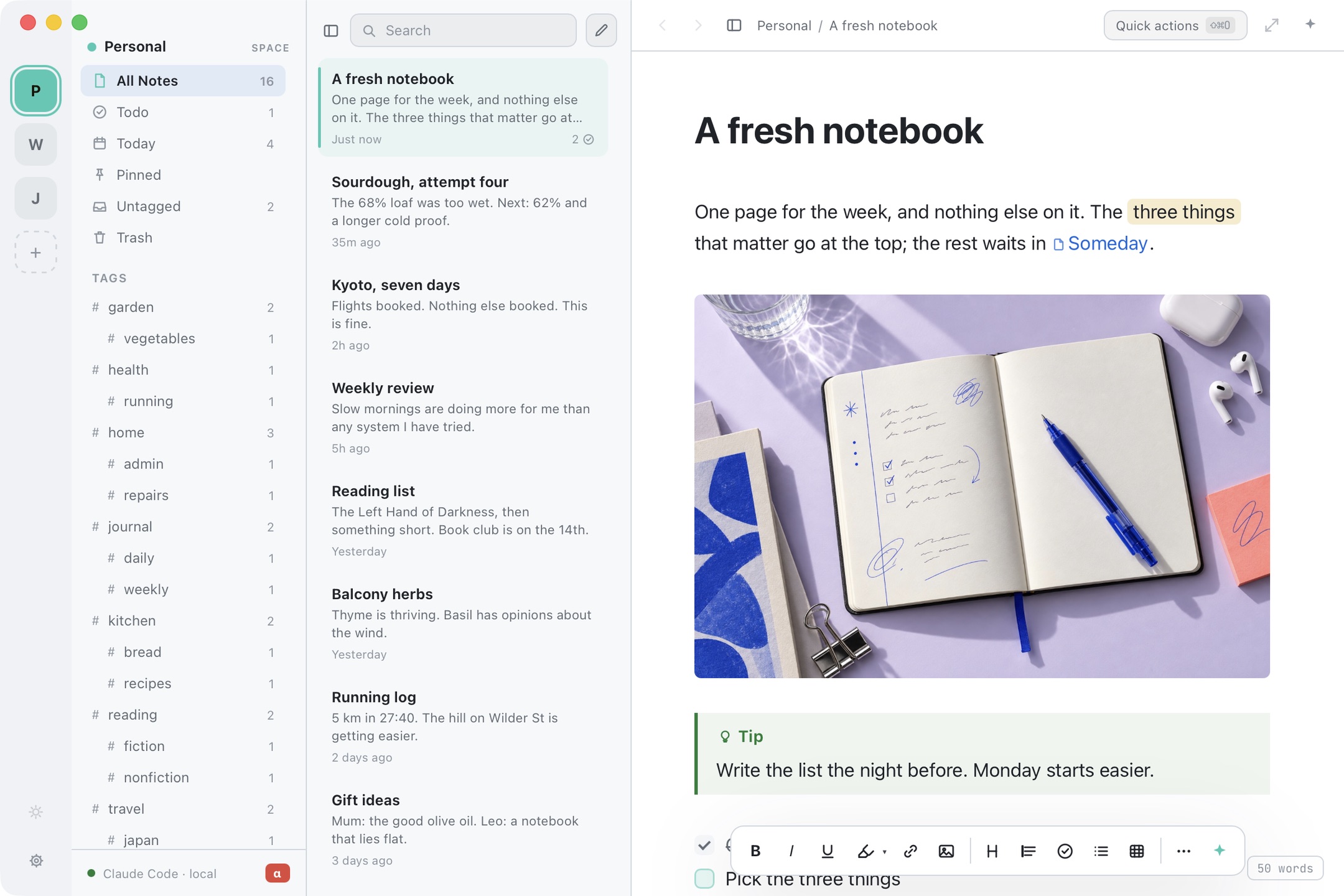
The 68% loaf was too wet. Going to 62% and a longer cold proof. See Starter schedule.
No database, no export step, no proprietary anything. Delete Margin and every note is exactly where it was. Nothing leaves the Mac unless you ask.
How files are handled →Bold goes bold on the second asterisk. Headings grow into headings. One document, always: you never toggle a preview pane or keep a second copy of the note. Tables you edit cell by cell, five flavours of callout, dates that age, collapsing headings, lines you can drag. Nothing is buried in a toolbar, because there is no toolbar.
See the editor →Tables, code, callouts, dividers and dates, from the keyboard.
Collapse a section to its title and open it again when you need it.
Each space is its own folder, its own note list, its own search, and its own tint, so the whole app quietly changes colour when you switch. Client work here, the side project there, the reading pile somewhere else. Move a note across and it moves as a file: same note, same identity, new folder.
How spaces work →Start typing a note's name and link straight to it. Rename that note later and every mention quietly updates. Grab a link to a note and drop it in a calendar invite or a ticket: click it, Margin opens, right note, right place. And ⇧⌘O finds every command and every note in one list.
Links and quick open →Every parent is itself a note, with its own words, not a bare folder. The children show in its margin and under its text. Move a parent and the whole subtree goes with it. On disk it is a note beside a folder of the same name, so the tree is plain files and folders that read fine anywhere else.
How nesting works →~/Margin/Personal/
├── kyoto-seven-days.md
└── kyoto-seven-days/
├── flights.md
├── day-3-nara.md
├── day-3-nara/
│ └── deer-park.md
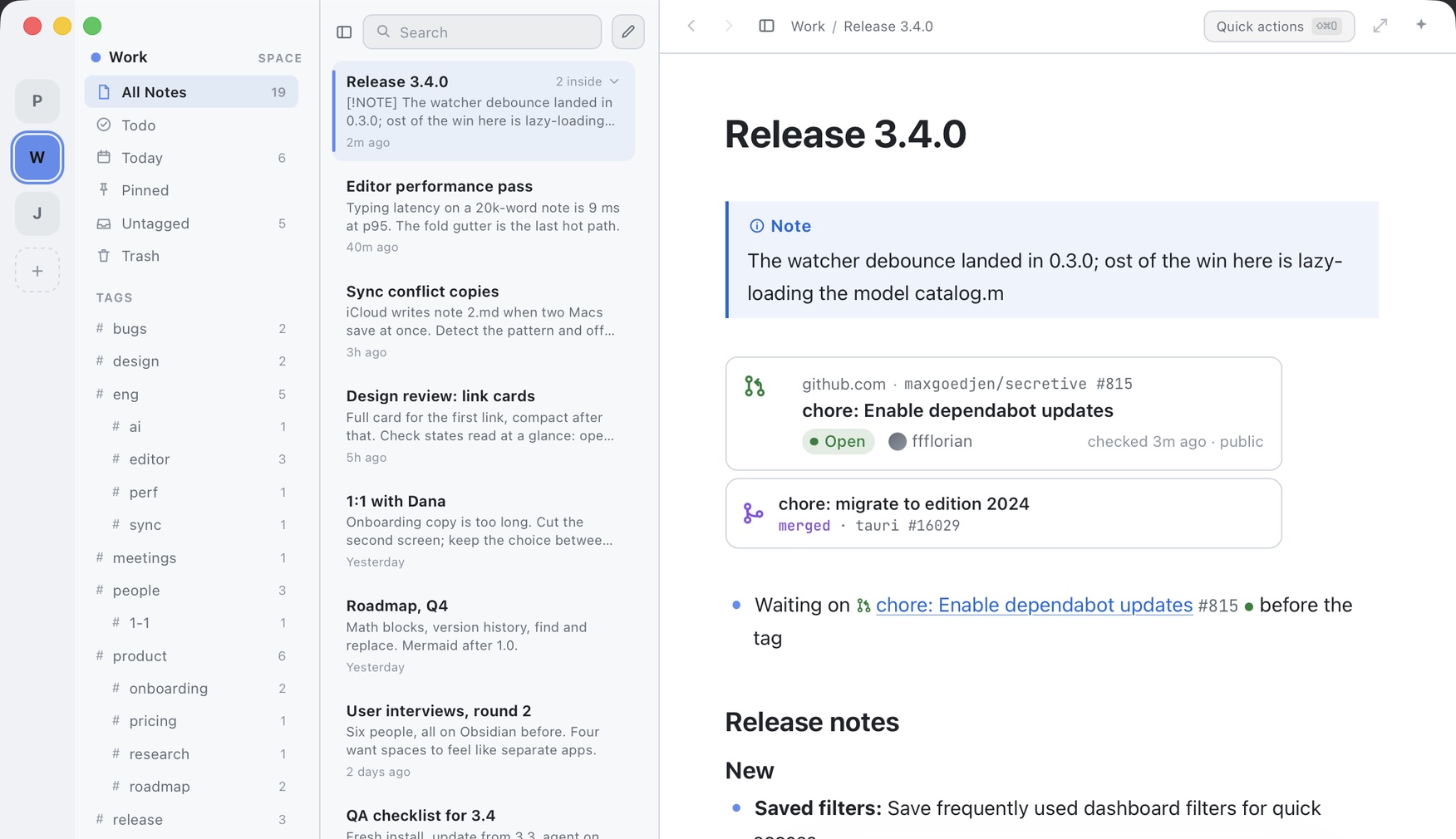
└── food-list.mdPaste a link to a pull request or an issue and it shows its state, its checks and where the review stands, read through the gh you already have. No gh? Public ones still show, straight from GitHub, with no token and no account. Keep it as a card, a one-line row, or a chip in the middle of a sentence.
Link cards →It does nothing on its own: no indexing, no reading as you type. Select a sentence and pick an action, or write your own once and it lives in the menu forever. Every change arrives as a diff you say yes to first. Run it on your own API key, through the Claude Code or Codex CLI already on your Mac, or on a model that never leaves the machine.
The three routes →The small things that make it pleasant to live in. It starts instantly, never blocks on a spinner, and hides nothing behind a service.
One folder, one .md per note. Nothing weird inside.
Nothing to sign up for. Purchases activate themselves.
Solarized, Nord, Dracula, Gruvbox, Rosé Pine, Catppuccin…
⌃⌥Space from anywhere, even with the window shut.
Today, then 3 days ago, then a plain date.
Tables, code, callouts, dividers, dates, highlights.
Paste a URL on a selection. Hover for a preview.
Deleting is reversible, which is good news at midnight.
Four half-notes into one. Move it anywhere, intact.
Markdown, plain or rich text, correct in Slack.
Edit a file elsewhere; Margin catches up at once.
margin:// links and a CLI-shaped surface for tinkerers.
It is an alpha: it works, it gets better every week, and now and then it will do something odd. Margin 1.0 will be paid. When it ships, everything keeps working for 30 days, and alpha users get 25% off a lifetime licence until then.
Settings › Licence sells an early-supporter lifetime licence from day one. It activates the day 1.0 ships, covers two Macs, and the price you pay is the price you keep.
Leave an address and you will hear once, when 1.0 ships. No newsletter. One message, then silence.